




Let us say it up front: a gaming chair will not win you a single round. It has no effect on your performance, and it therefore comes after the mouse and the monitor if your budget is tight.
What it does bring is the ability to play for a long time without thinking about it. A good chair is a chair you forget: you sit down, you play for three hours, and you get up without having wanted to shift position ten times. It is the only criterion that genuinely counts, and it is judged on simple adjustments, not on spec sheets.
So this guide starts with comfort, moves on to style and to the room the chair takes up, which count for far more than we like to admit, and finishes with a short sturdiness check.
COMFORT: FOUR ADJUSTMENTS THAT CHANGE EVERYTHING
Comfort does not come from the chair on its own, it comes from the chair set up properly for your desk and for your build. Plenty of people find their seat uncomfortable when they have never adjusted anything on it beyond the height.
Take ten minutes to set everything up before your first session, rather than sitting down and playing. Set the height against the desk first, then the seat depth, then the armrests, and only then the recline. In that order, each adjustment depends on the one before.
ARMRESTS, THE MOST UNDERRATED CRITERION
This is probably the element that makes the most difference over a long session, and the one people look at least when buying. They are classed by number of adjustment axes, from 1D to 4D. Here is what each axis brings in practice.
Height
1DThe basic adjustment, present everywhere. The goal is simple: the forearm has to be parallel to the desk top, elbow around ninety degrees. Too low and the shoulder drops; too high and it hunches up.
Width
4DThis is the adjustment nobody ever talks about, and it changes everything. Being able to bring the armrests in towards your body saves you from sitting with your arms spread all the time, a position that pulls on the shoulders and the upper back over a long session.
Depth
2DBeing able to slide the armrest forward lets you support the forearm all the way to the edge of the desk, where the hand holding the mouse actually sits. Without that adjustment, the arm is supported at the elbow but hanging in mid air in front, and the wrist is what makes up for it.
Rotation
3DPivoting the armrest lets you line it up with the natural axis of the forearm, which is never perfectly parallel to the desk. Useful above all on the mouse side, where the arm sets off slightly diagonally.
To play for several hours, height and depth are the comfortable minimum. Being able to slide the armrest forward genuinely changes how tired the wrist gets on the mouse side. Width and rotation are a real plus, above all if you have broad shoulders or if you play at low sensitivity with big arm movements.
STYLE AND THE ROOM IT TAKES
This is the second criterion, and there is no reason to apologize for it. A gaming chair stays in a room for years, it is on show, and you have to like it. Three broad families live side by side today.
The bucket seat style
Exposed stitching, contrasting colors, high backrest and pronounced side bolsters. This is the historic gaming chair look. Very visible in a room, and unapologetic about it.
The understated style
Same adjustments, monochrome look with no loud logo. It works as well in a living room as in a bedroom, and it ages better visually.
The fabric style
Textured fabric upholstery, often gray or beige, closer to furniture than to gaming. It breathes noticeably better and blends into the decor.
Beyond taste, think about the room the chair actually takes up. The star base generally measures between sixty five and seventy centimeters across, roughly twenty six to twenty eight inches, which is wider than it looks in a photo. Check that you will be able to roll back from the desk without hitting a bed or a wardrobe.
The clearance under the desk top, to check that the armrests fit underneath once adjusted, which is far from always the case. And the room to roll back behind the chair, counting at least seventy centimeters, roughly twenty eight inches, so that you can stand up normally.
STURDINESS: FIVE THINGS TO CHECK
Once comfort and style are settled, these five checks are enough to rule out the models that will not last. All of them can be done from the product page, without having to try anything out.
In the United States, there is no legal minimum of the kind that applies in Europe: what covers you is the manufacturer warranty, and two to three years on the frame is what established brands offer. Some announce extensions to five years, but they are frequently conditioned on registering the product or on posting about it on social media: that is a marketing device, not a sign of build quality. Judge on the materials and on the reputation of the brand instead.
GAMING CHAIR OR OFFICE CHAIR?
Both exist, and they answer two different logics rather than forming a ranking. The gaming chair, also called a gamer chair, comes down from the automotive bucket seat, designed to wrap around you and hold you in place. The office chair comes down from professional furniture, designed for a prolonged working position. Neither of the two is superior in absolute terms: they prioritize different things.
- High backrest with a headrest, pleasant when you lean back
- Pronounced recline for taking a breather between games
- Enveloping seat and generous padding
- Unapologetic looks, a wide choice of colors
- Flat seat, designed for an upright posture facing the desk
- Backrest often in mesh, which breathes better
- Sometimes finer adjustments on the seat tilt
- Understated looks, blends into a living space
Ask yourself what you actually do in that seat. If it is essentially gaming and relaxing, with breaks where you lean back, the gaming chair is made for that. If you also work several hours a day in it, upright and facing a screen, an office chair suits that use better.
In both cases, it is the adjustment that makes the difference, far more than the category. A gaming chair set up correctly suits the great majority of people very well.
If you have back, neck or wrist pain that persists, no chair will fix it, and this guide is not meant to replace medical advice. Talk to a doctor or to a physical therapist: the cause is often somewhere else, in the height of the desk, the position of the monitor or quite simply the lack of breaks.
WHAT BUDGET FOR WHAT RESULT
Good news: on a gaming chair, the threshold for genuine quality is lower than people often think.
What you find at each tier, and what we think. The highlighted row is our recommendation.
| Budget | What you find | What we think |
|---|---|---|
| Less than $150 | Light frame, cut foam, fixed or 1D armrests. | Comfortable for a few weeks, then the seat hollows out and the height sinks on its own. Better to wait, or to look for something secondhand. |
| $200 to $350 | Steel frame, decent foam, adjustable armrests, reclining backrest. | The zone we recommend. This is where you find models from established brands that do the job very well over time. |
| $350 to $500 | Better finish, quality fabric upholstery, 4D armrests, built in lumbar support. | Comfort mostly improves on the fine adjustments and on the upholstery. Worth it if you spend a lot of hours sitting down. |
| $500 and up | Aluminum base, premium materials, very complete adjustments. | You are mainly paying for finish and for looks. How well the chair holds up over time no longer improves in proportion to the price. |
From $200 up, you find genuinely good products, from established brands. The $200 to $350 zone offers the best ratio between the price, the comfort and the lifespan, and it covers what the vast majority of players need.
Our picks
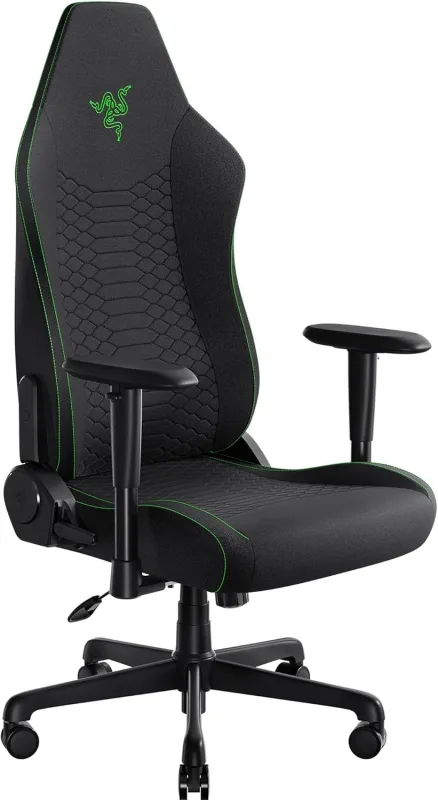
Razer Iskur V2 X
Built-in lumbar support and cool-touch EPU leather that resists peeling. Made for long sessions, and for warm rooms.
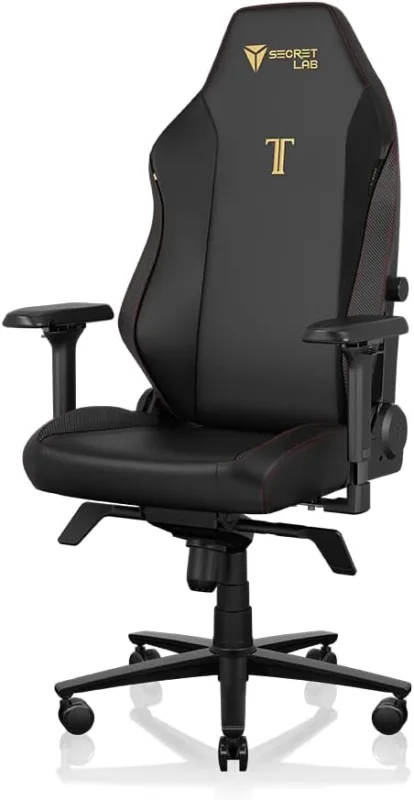
Secretlab Titan Evo
Cold-cure foam for posture, with a magnetic memory foam head pillow that adjusts for neck support.
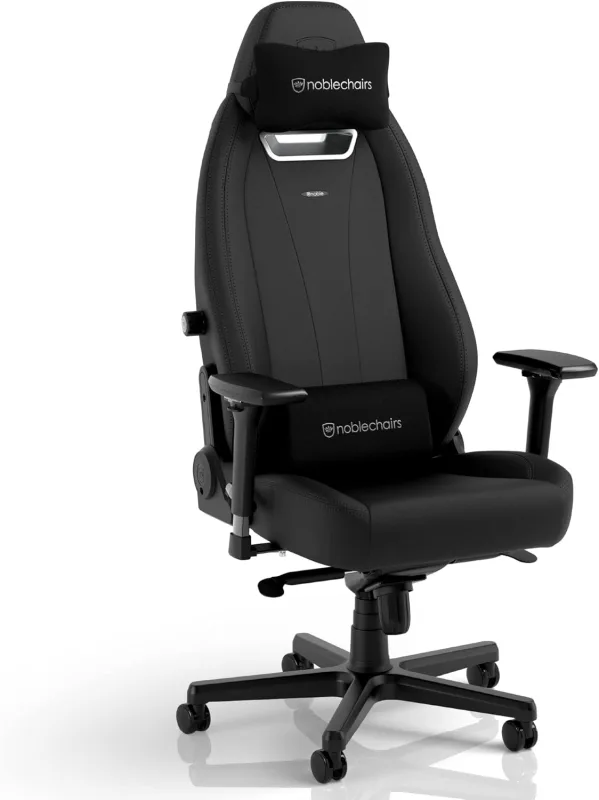
noblechairs Legend Gaming Chair
Ergonomic gaming chair in black PU leather with a steel frame and molded cold-foam cushions. It offers adjustable lumbar support, 4-way adjustable armrests, and 60mm casters suited to soft or hard floors, with a 330 lb weight capacity.
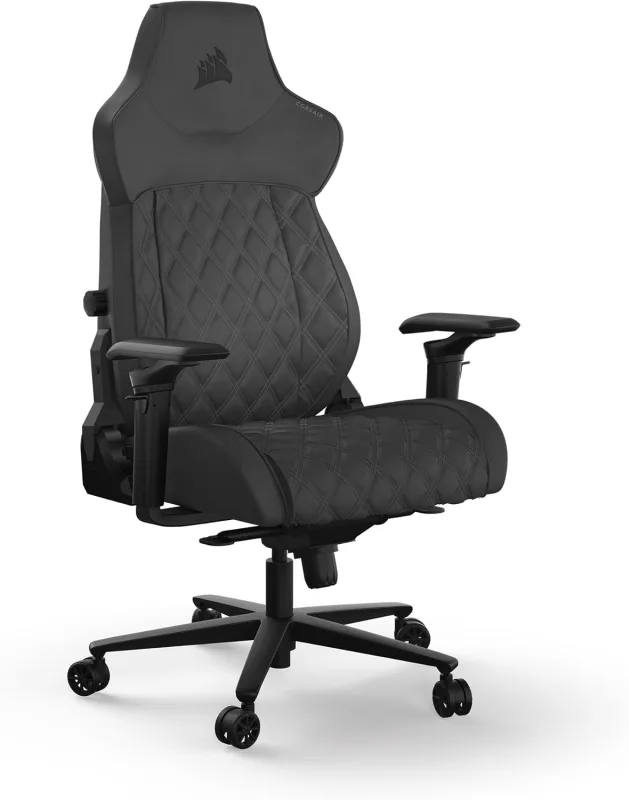
Corsair TC500 Luxe Gaming Chair
Gaming chair with premium breathable fabric, quilted cushions, and a steel frame. The seat is wider and flatter than typical gaming chairs, with five-way adjustable armrests, four-way lumbar support, and a detachable magnetic neck pillow.
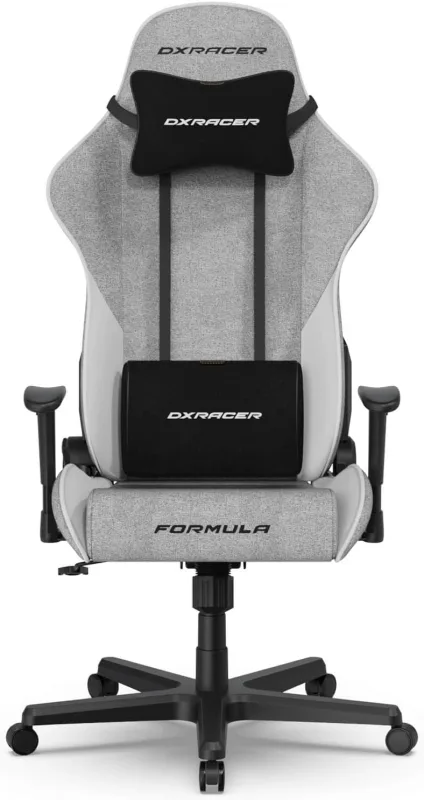
DXRacer Formula L Gaming Chair
Ergonomic gaming chair with a high backrest, molded foam, and padded lumbar and headrest cushions. It offers 360-degree swivel, adjustable armrests and height, and backrest recline from 90 to 135 degrees. Steel frame supports up to 275 lbs.
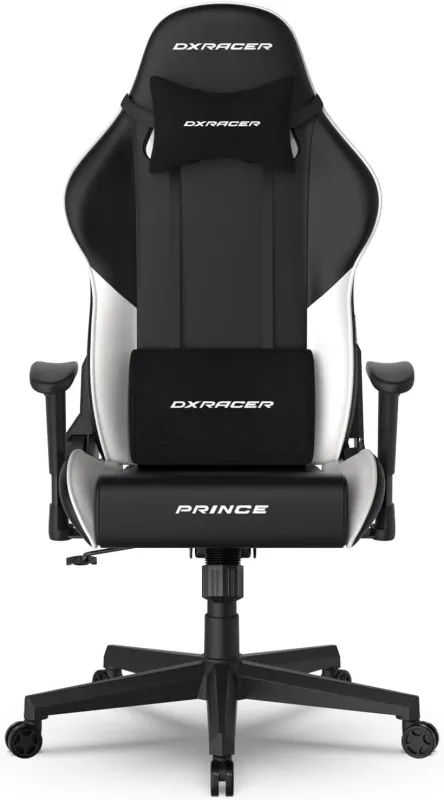
DXRacer Prince Series L Gaming Chair
Gaming chair with an adjustable memory foam cushion and a cooling gel foam headrest for lumbar and neck support. It features a wing-shaped seat base, an all-steel frame, backrest recline from 90 to 135 degrees, and vertically adjustable 2D armrests.
FREQUENTLY ASKED QUESTIONS
Gaming chair, gamer chair, racing chair: what is the difference?
None: they are three commercial names for the same object, the high backed seat inspired by the automotive bucket seat. Gaming chair is the wording buyers use most, racing chair is the one that comes back most often in product descriptions, and gamer chair circulates mostly in conversation. No technical difference hides behind these names: two models sold under different labels can be strictly identical. The real criteria are the ones in this guide, the seat and armrest adjustments, how solid the frame is, and the budget.
What budget should you plan for a good gaming chair?
From $200 up, you find genuinely good products, from established brands, with a steel frame and adjustable armrests. The $200 to $350 zone offers the best ratio between the price and the lifespan. Below $150, the chair will be comfortable for a few weeks only.
Does a gaming chair improve your performance in game?
No, no chair will win you a round. What it brings is the ability to play for a long time without discomfort, which counts for enjoyment and for concentration late in the evening. On a tight budget, the mouse and the monitor come first.
Which armrest adjustments are genuinely useful?
Height is essential, and it exists on every model. Then comes depth, which lets you slide the armrest forward to support the forearm all the way to the edge of the desk. Then rotation, which lines the armrest up with the axis of the arm. And finally width, the rarest one, which lets you bring the armrests in towards your body and saves you from sitting with your shoulders open all the time. To play for several hours, height and depth are the comfortable minimum.
What warranty comes with a gaming chair?
In the United States there is no legal minimum of the kind that applies in Europe: what covers you is the manufacturer warranty. Two to three years on the frame is what established brands offer, and that is the level to look for. Some announce extensions to five years, but they are often conditioned on registering the product or on posting about it on social media: those are marketing devices, not indicators of build quality. Trust the materials and the reputation of the brand instead.
Should you try a chair before buying it?
Ideally yes, because comfort depends a lot on your build. In practice, what you can sit on in a store is limited. So the useful reflex is to order from a seller with a clear return policy: thirty days is the common window at the big American retailers, which leaves you the time to assemble the chair, adjust it properly and put a few sessions in. A chair is judged after several hours, not after five minutes.
PU leather or fabric?
Both make their case, with opposite trade-offs. PU leather wipes clean with a sponge, holds up well against stains and gives that typical gaming look, but it breathes very little, can stick in summer and ends up cracking after several years of heavy use. Fabric breathes noticeably better and copes more easily with long sessions, but it holds on to dust and stains more, even though most recent models get a water repellent treatment. Worth noting as well, some brands offer fabric covers to add over the seat: they protect the original upholstery and come off to be washed, which lets you combine both approaches.