
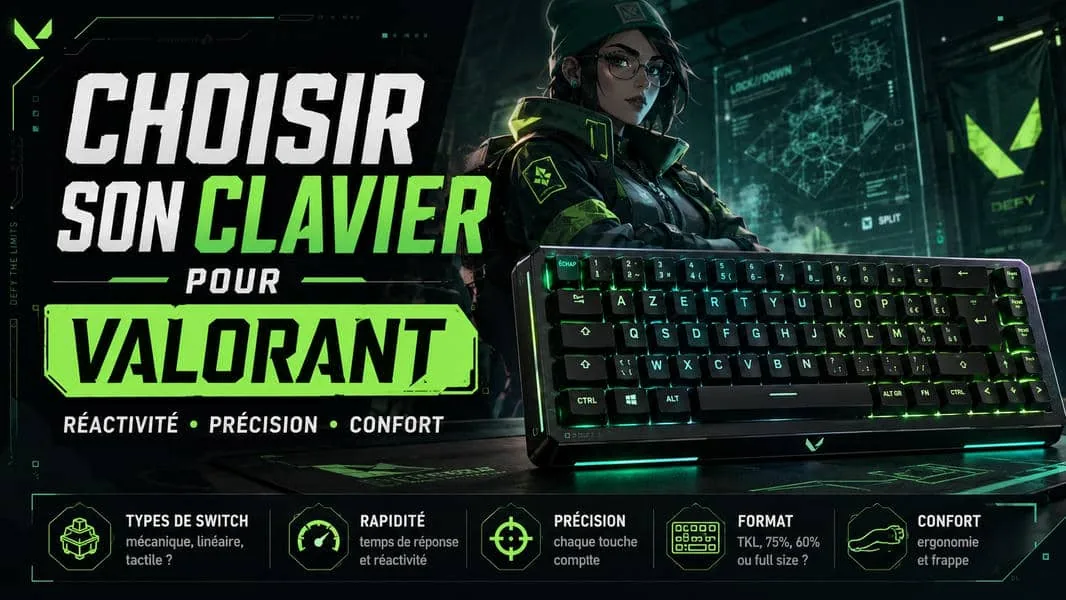
To play Valorant, you do need a keyboard, a mouse and preferably a headset with a microphone. Gaming gear has not stopped evolving over the past few years, and gaming keyboards are a good illustration of that evolution. In this article, we are going to go over the whole subject and look together at which keyboard to choose in order to play Valorant properly, and the other FPS titles as well.
KEYBOARD TYPE: MEMBRANE, CHICLET OR MECHANICAL?
Chiclet keyboard: the keyboard you find on a laptop, or any very slim keyboard. It is not meant for gaming.
Membrane keyboard: this is the common keyboard, simple and cheap to build, with an average lifespan. It can be used for gaming, but it does run into a few constraints and limits.
Mechanical switch keyboard: sold during the eighties, they came back during the two thousands on the gaming market, which had become competitive and therefore demanding in terms of responsiveness and performance. Mechanical switches, also called switches, are the heart of the experience, because there are several types of switches that serve different uses.
Mechanical keyboards are the best suited to gaming and remain a strong asset for the gamer
Over the past few years, a fourth technology has been added: the magnetic Hall effect keyboard. It deserves a chapter of its own, because it changes the very way a key is detected. We devote a full section to it further down.
MECHANICAL KEYBOARD: SWITCH TYPE (MECHANICAL SWITCHES)
There are several types of mechanical switches, in order to meet the different needs of users. You tell them apart by their characteristics:
Tactile, clicky or linear: tactile switches have a point of resistance you feel under the finger on activation. Clicky switches add an audible click on top of that. Linear switches, meanwhile, have no resistance and the keystroke is continuous.
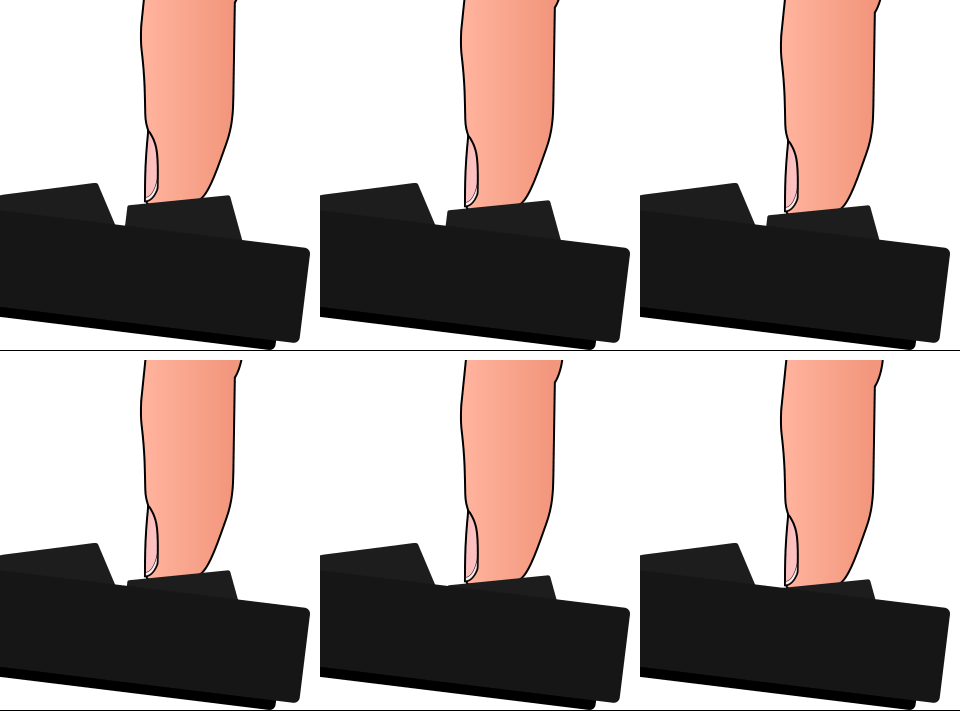
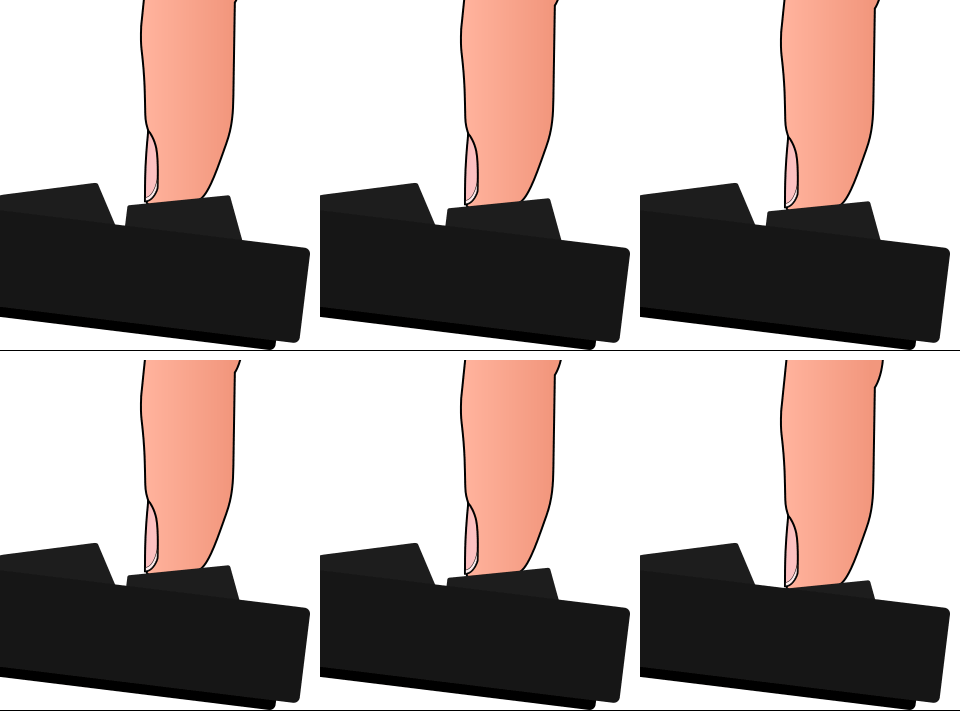
Actuation distance and total travel: the actuation distance is the distance needed to register the keystroke, and it sits roughly halfway down the total travel. On a clicky switch, it is the distance that produces the sound.
Force: the weight needed to move the switch. Some switches take no effort to activate, others do.
Switch colors, a way to tell the standards apart
Some brands such as Razer have their own colors, but you generally find these colors, which are standardized by switch makers Cherry, Gateron or Outemu.
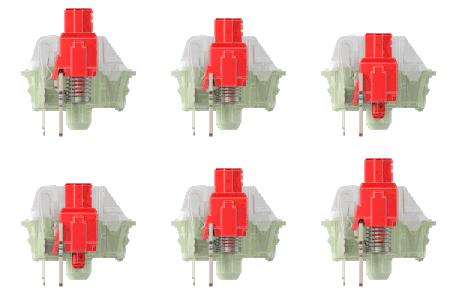
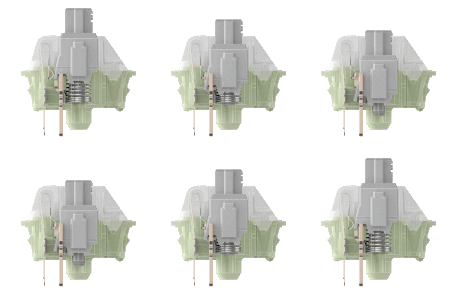
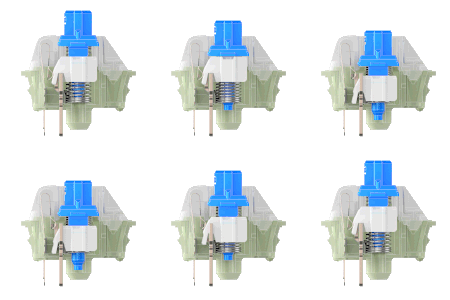
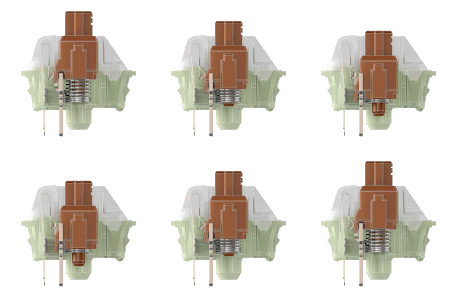
A few switches from the Cherry brand.
| Name | Type | Force | Actuation / total | Comment |
|---|---|---|---|---|
| Cherry MX RED | Linear | 45 g | 2 / 4 mm | The switches most used by players, because they are responsive. |
| Cherry MX SPEED SILVER | Linear | 45 g | 1.2 / 3.4 mm | Very responsive switches, but not widely fitted. |
| Cherry MX BLUE | Clicky | 60 g | 2.2 / 4 mm | Switches fitted in a lot of keyboards, liked for their audible click and their marked feedback. In FPS, the higher actuation point makes them less responsive, but plenty of players prefer them for the typing feel. |
| Cherry MX BROWN | Tactile | 55 g | 2 / 4 mm | Switches that bring together the best of both worlds. Good responsiveness, tactile feel without the click noise. |
Which switch to choose for a mechanical gaming keyboard?
Blue, red or brown, buying a mechanical keyboard is still a sizable investment, and buying without knowing which switch you want can be a letdown. You can for instance go around the stores and try the keyboards out, and that is a very good idea, but you can also buy a switch tester in order to form your own opinion on the switches available on the market. That option does cost something (about twenty dollars), but it stays a good investment and saves you from sending your keyboard back to buy another one.
On paper, linears are the most favorable in FPS because their actuation point is lower and the keystroke more direct. But the real gap is measured in fractions of a second, far below what training, mouse sensitivity and positioning produce.
If you like the marked feedback and the audible click of the blues, keep them: a keyboard you enjoy is a keyboard you play on for longer, and therefore one you improve more with. The only case where it genuinely causes a problem is on voice with an open microphone, where the noise bothers your teammates.
How long a mechanical keyboard lasts
Mechanical switches have the advantage of lasting longer, because they are designed for millions of keystrokes, and that is one of the strong arguments manufacturers put forward.
On top of that, it is possible to change the keycaps as they wear, which lets you keep your keyboard for years, or even customize it as you please.
MAGNETIC HALL EFFECT KEYBOARDS
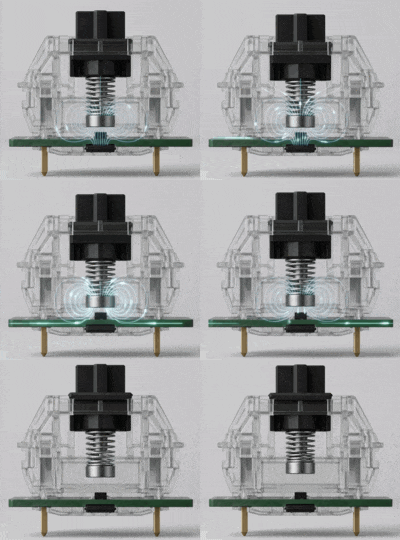
This is the real novelty in the sector over the past few years, and it changes the way a key is detected. Where a mechanical switch relies on a metal contact, a magnetic switch uses a magnet and a sensor that constantly measure the exact position of the key across its whole travel.
The consequence is direct: the keyboard no longer only knows whether the key is pressed or not, it knows how far down it is. And that is what unlocks everything else.
What it makes possible in practice
The adjustable actuation point. You decide yourself how deep the key activates, generally between 0.1 and 3.4 mm or so. Very high for maximum responsiveness in game, deeper for office work in order to avoid typing mistakes. Some models even allow a different setting for each key.
Rapid Trigger. This is the headline feature. On a classic keyboard, you have to release the key up to a fixed point before you can press it again. With Rapid Trigger, the key rearms at the slightest release, even by a tenth of a millimeter. In practice, direction changes and counter-strafing become clearly sharper.
Mechanical or magnetic: the honest comparison
The real differences between the two technologies.
| Criterion | Mechanical | Magnetic |
|---|---|---|
| Technology | Physical metal contact | Magnet and sensor, no contact |
| Actuation point | Fixed, set by the switch | Adjustable from roughly 0.1 to 3.4 mm |
| Rapid Trigger | Not possible | Yes, resets at the slightest release |
| Typing feel | Very varied depending on the switch chosen | Uniformly linear, little clicky available |
| Customization | Change the switches physically | Everything is set in software, key by key |
| Entry budget | $40 to $60 | $100 to $150 |
| Adjustment time | Immediate | One to two weeks |
This is the point reviews rarely mention. With the actuation point set very high, the keys fire at the slightest brush: at first you move or jump without meaning to, simply because you let your fingers rest on WASD the way you would on a classic keyboard.
Count on one to two weeks to relearn a lighter touch. The right reflex is to start around 1.5 mm, close to a classic mechanical, then come down gradually rather than going straight to the most aggressive setting.
SOCD and Snap Tap: allowed in Valorant
These keyboards often offer an extra feature, called SOCD or Snap Tap depending on the brand. It handles what happens when you press two opposite keys at the same time, A and D for example. On a classic keyboard, the two cancel each other out and the character stops. With SOCD, the last key pressed takes over instantly, which makes counter-strafing almost perfect.
Rapid Trigger and adjustable actuation are allowed everywhere, no discussion. SOCD, on the other hand, is debated: Valve banned it in official Counter-Strike 2 matchmaking, while Riot Games allows it in Valorant. The official competitive circuit rules state that, unless told otherwise by officials, players may use Snap Tap, SOCD or any equivalent keyboard technology.
One reservation all the same: Riot says it is continuing to monitor the effect of these features on the game. So the rule holds today, but it could change. If you also play CS2, simply remember to turn the feature off before starting a game.
Who it is worth the price for, and who it is not
Let us be clear: a decent magnetic keyboard starts around $130 to $150, two to three times the price of a good mechanical. The gain exists, but it only covers movement, and it is only felt if the rest is already in place.
If your aim is still inconsistent, if you play on Wi-Fi or on a 60 Hz monitor, that one hundred and fifty dollars will do far more good elsewhere. Conversely, if you play ranked several times a week, if your gear is already sound and you are looking to claw back on counter-strafing, it is a purchase that stands up.
KEYBOARD FORM FACTOR: FULL SIZE, TKL AND COMPACT
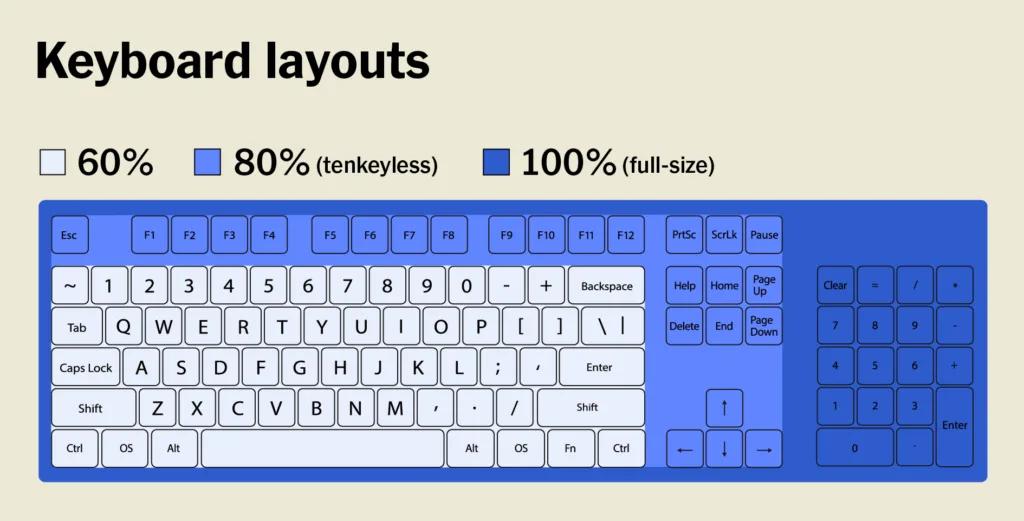
There are mainly 3 keyboard form factors, and these three form factors are set apart by the number of keys the keyboards offer.
Full size keyboard: this is the standard keyboard with a number pad and all of its keys (104 on a US layout).
TKL keyboard: TKL stands for TenKeyLess, a full size keyboard without the number pad. It has the advantage of taking up less room on the desk and of letting you spread your arms less when using the mouse, notably while playing, which allows a more natural posture and optimal comfort.
Compact or 60% keyboard: this is a keyboard that only holds the main block (without the F keys or the arrow cluster), every removed key sitting on a second layer, that is to say reachable most of the time through a combination with Fn.
While the difference between a full size keyboard and a TKL keyboard comes down to the number pad, the compact form factor only offers the main block and you will have to use keyboard shortcuts to make the most of the other functions. That said, it is a matter of taste.
The lower your sensitivity, the more room you need for the mouse. A player who covers fifty centimeters, roughly twenty inches, to make a full turn will genuinely gain from moving to TKL, or even to compact. If you do not know where you stand, our guide to sensitivity lets you work it out.
TWO TECHNICAL CRITERIA TO CHECK
Anti-ghosting and NKRO
Ghosting is when a keyboard fails to register several keys pressed at the same time and drops one of them. In FPS, it is common: moving forward, strafing to the side, crouching and reloading at the same time already adds up to four keys.
NKRO (N-Key Rollover) means the ability to register every key at the same time, with no limit. Almost every mechanical and magnetic keyboard offers it, but it is a point to check on entry level membrane models, where anti-ghosting is sometimes limited to a handful of keys.
The polling rate
As with a mouse, the polling rate tells you how many times per second the keyboard reports its state to the computer. The norm is 1000 Hz, once per millisecond, and that is plenty. Some recent models advertise 4000 or 8000 Hz: the gain is measurable in a lab but imperceptible in game, and it uses up more processor resources. Do not pay extra for that one characteristic.
WHAT KEYBOARD FOR YOUR PROFILE AND YOUR BUDGET
Several parameters come into play, it is a combination of typing comfort, form factor and use. If your keyboard also has to serve a mixed use, a TKL keyboard with brown switches would be ideal. If the use is gaming only, red or silver switches would be a better fit. Here is how that plays out depending on your situation.
Casual player or mixed use
Less than $60You play a few hours a week and the keyboard is also used for work, for classes or for browsing. A good membrane keyboard already does the job, and an entry level mechanical in TKL form factor will bring real comfort without blowing the budget.
→ Entry level mechanical, brown switches for versatilityRegular FPS oriented player
$60 to $110You play several hours a week and FPS is your main use. This is the heart of the market, and it is where the ratio between price and gain is best. A TKL form factor frees up room for big mouse movements.
→ TKL mechanical, red or silver switchesPlayer who loves the typing feel
$60 to $130Tactile feedback and the sound of the click are part of the fun of playing for you. That is a perfectly legitimate criterion: a keyboard you enjoy is a keyboard you play on for longer. Blues are a little less favorable in pure FPS, but the gap stays far below the one training produces.
→ Mechanical with blue switches or marked tactilesCompetitive player chasing the last percent
$130 and upYou play ranked regularly, your aim is already solid and you are looking to claw back on movement. This is the only profile for which a magnetic keyboard is economically justified, provided you accept the adjustment period.
→ Hall effect magnetic with Rapid TriggerThe keyboard is the item where the gap between entry level and high end is felt the least in game. Before putting one hundred and fifty dollars into a keyboard, check that your mouse suits your hand and that your monitor displays at least 144 Hz. Those two items pay off more.
OUR PICKS OF MECHANICAL KEYBOARDS FOR GAMERS
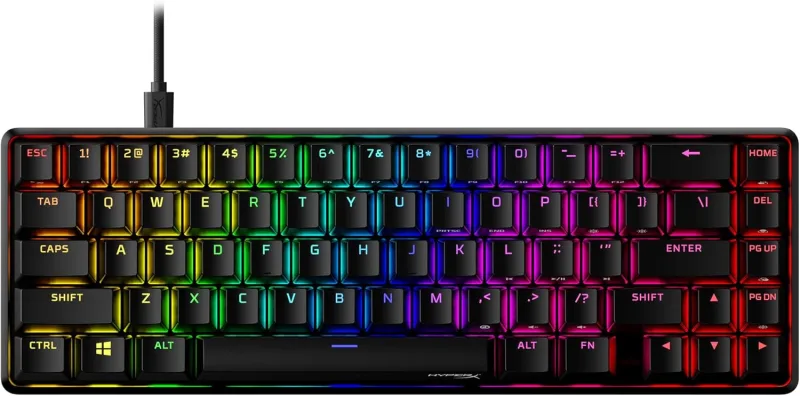
HyperX Alloy Origins 65 Keyboard
Compact 65% mechanical gaming keyboard with linear red switches and durable double-shot PBT keycaps. It features RGB LED backlighting, USB-C connectivity, and plug-and-play compatibility with PC and PlayStation 4.
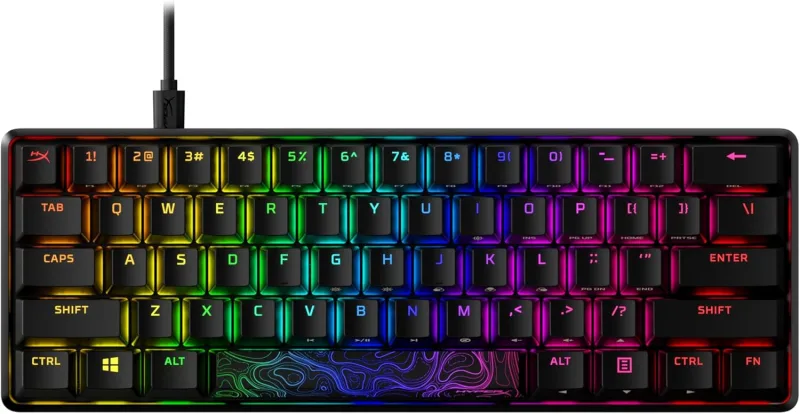
HyperX Alloy Origins 60 Keyboard
Ultra compact 60% mechanical keyboard with an aircraft-grade aluminum body and double-shot PBT keycaps. HyperX switches are rated for 80 million keypresses, with RGB backlighting, three tilt angles, and a detachable USB-C cable.
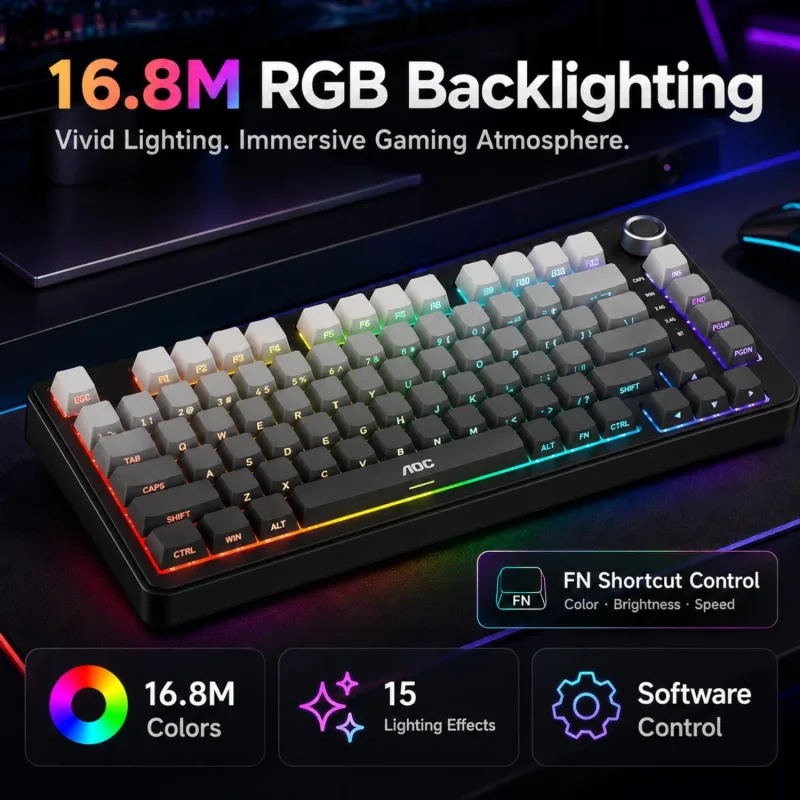
AOC GK330 75% Wireless Keyboard
75% wireless mechanical keyboard with USB-C, Bluetooth, and 2.4GHz connection modes across up to 5 devices. It has a 4000mAh battery for up to 220 hours of use, hot-swappable switches, a volume control knob, and RGB backlighting with PBT keycaps.
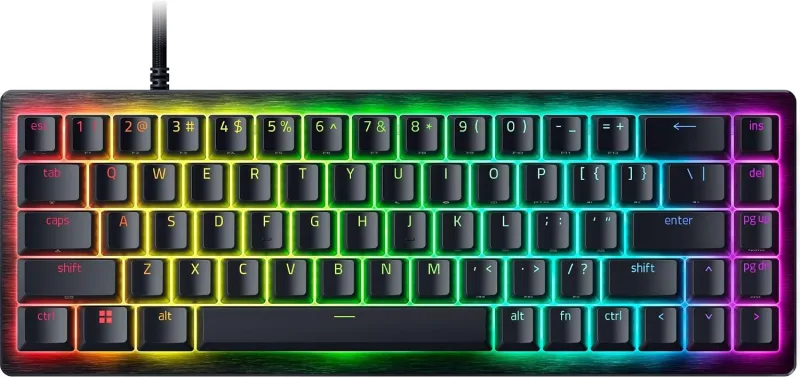
Razer Huntsman V3 HE Mini 65% Keyboard
Compact 65% wired gaming keyboard with Hall Effect magnetic switches, Rapid Trigger, and adjustable 0.1 to 4.0 mm actuation. It offers 8000Hz HyperPolling, Snap Tap, doubleshot PBT keycaps, an aluminum top case, and Razer Chroma RGB lighting.
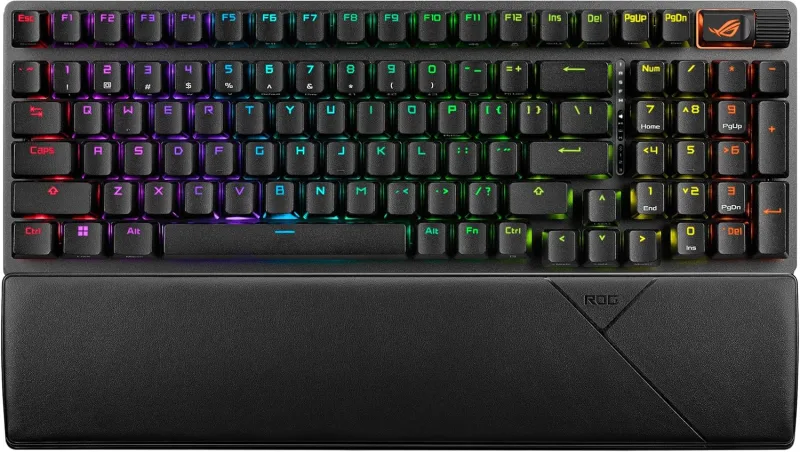
ASUS ROG Strix Scope II 96 Keyboard
96% wireless mechanical keyboard with a full number pad in a compact footprint. It offers Bluetooth, 2.4GHz, and USB connectivity for PC and Mac, hot-swappable pre-lubed linear switches, per-key RGB, and a detachable wrist rest.
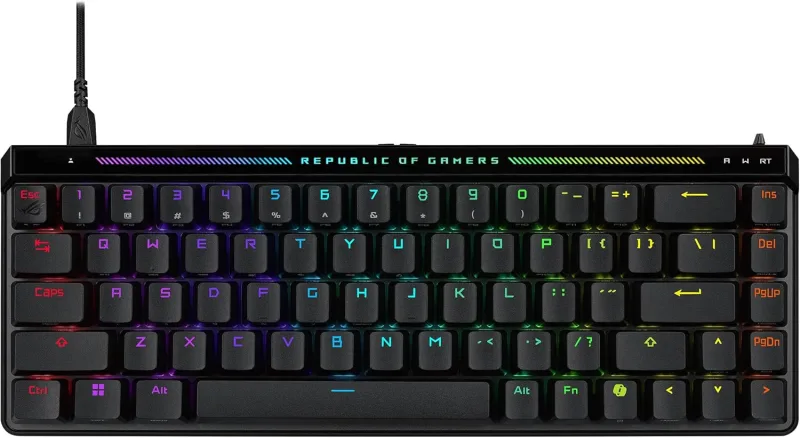
ASUS ROG Falchion Ace HFX Keyboard
Compact 65% TKL gaming keyboard with pre-lubed Hall Effect magnetic switches and adjustable 0.1 to 4.0 mm actuation. It features Rapid Trigger, Speed Tap, dual USB-C ports, 8000Hz polling, a touch panel for media controls, and a protective cover.
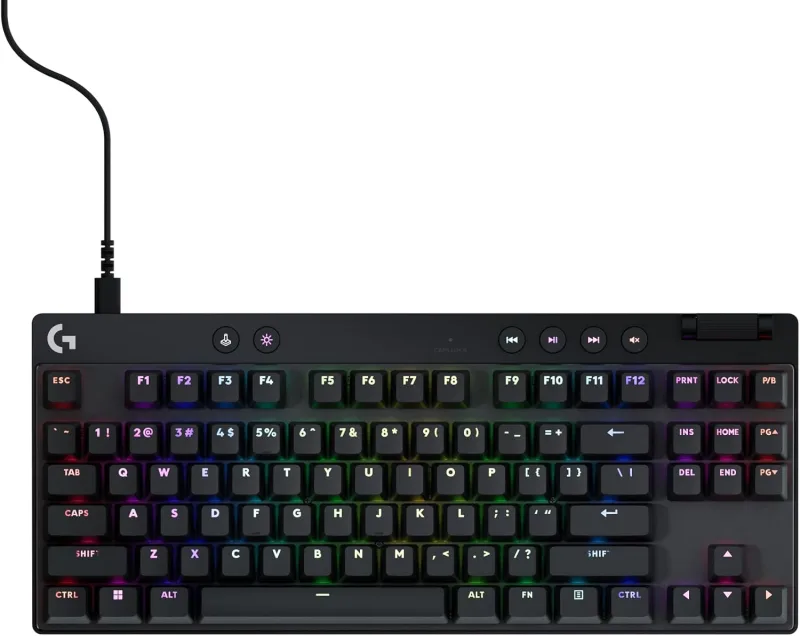
Logitech G PRO X TKL Keyboard
Tenkeyless gaming keyboard with Hall-Effect magnetic switches and Rapid Trigger for instant key reactivation. Actuation points and sensitivity are customizable per key via Logitech G HUB, with LIGHTSYNC RGB lighting and on-the-fly FN key adjustments.
FREQUENTLY ASKED QUESTIONS
Do you absolutely need a mechanical keyboard to play Valorant?
No. A decent membrane keyboard lets you play perfectly well, ranked games included. Mechanical brings better responsiveness, higher durability and a more pleasant typing feel, but it will not win rounds on its own. If your budget is tight, a good 144 Hz monitor and a membrane keyboard beat a mechanical keyboard and a 60 Hz monitor.
Are blue switches a bad choice for FPS?
Not a bad choice, a less optimal one. Their actuation point is higher and their travel more marked, which makes them slightly less responsive than a linear. But the gap is measured in fractions of a second, far below what training and positioning produce. Plenty of players prefer them for the feel and the audible feedback, and that is a perfectly valid reason.
What is a magnetic Hall effect keyboard?
It is a keyboard whose keys use a magnet and a sensor instead of a metal contact. The sensor constantly measures the exact position of the key across its whole travel, which lets you set the actuation point yourself, sometimes from a tenth of a millimeter, and turn Rapid Trigger on. This technology has taken hold at the top competitive level over the past few years.
Are Rapid Trigger and SOCD allowed in Valorant?
Yes, both of them. Rapid Trigger and adjustable actuation are allowed everywhere, no discussion. SOCD, also called Snap Tap depending on the brand, was banned by Valve in Counter-Strike 2, but Riot Games allows it in Valorant. The official competitive circuit rules state explicitly that players may use these technologies, unless told otherwise by officials. Riot does however say it is continuing to monitor their effect on the game, so the rule could change.
How long does it take to get used to a magnetic keyboard?
Count on one to two weeks. With the actuation point set very high, the keys fire at the slightest brush, which at first causes unwanted movement and jumps. You have to learn to rest your fingers more lightly. The recommended reflex is to start with a classic setting around 1.5 mm, then come down gradually rather than going straight to 0.1 mm.
Which form factor should you choose between full size, TKL and compact?
TKL is the best compromise for most players: it removes the number pad, which frees up room and lets you spread your right arm less, without sacrificing the function keys. Full size stays relevant if you often type numbers. The compact form factor appeals to low sensitivity players who want as much room as possible for the mouse, at the cost of shortcuts to memorize.