Tool

SENSITIVITY CONVERTER

Coming over from another FPS? Enter your original game, your sens and your DPI: you get the exact value that reproduces the same mouse feel in Valorant.

Convert your sensitivity

From one FPS to the next, the same mouse feel
Dot or comma accepted. The step follows the source game.
Your new sensitivity
0.314
Valorant
eDPI in the source game800
Valorant equivalent eDPI251
Distance for a 360°, before and after51.9 cm
Indicative tool. The conversion keeps your feel: the mouse distance for a full turn is identical in both games. Fortnite uses a percentage.

SUPPORTED GAMES: CS2, VALORANT, APEX...

Click a game to set it as your starting point. The conversion works both ways, including from Valorant to another title.

WHY YOUR SENS CHANGES NUMBER, NOT FEEL

Every game applies its own internal scale to turn your mouse movement into camera rotation. A sens of 1 therefore does not mean the same thing from one title to the next: in Valorant the camera turns about three times faster than in Counter-Strike for the same displayed value.

That is why a player used to 1.0 on Counter-Strike 2, formerly CS:GO, lands around 0.31 on Valorant. The number looks tiny, but their hand travels exactly the same distance to turn their character around. That is what the converter preserves.

The real measure is cm/360

The only number genuinely comparable between two games is the mouse distance needed for a full turn, in centimeters. That is what your muscle memory recorded over hundreds of hours. A successful conversion is one that does not change it: the tool shows it so you can check.

THE BUILT-IN CM/360 CALCULATOR

The converter doubles as a cm/360 calculator: the third result line shows the distance your mouse travels on the pad for a full turn, in the source game as well as in the target one. It is deliberately highlighted, because it is what proves the conversion is right.

If all you want is to measure that distance without changing games, leave the same title on both sides: the number stays, and you get your current cm/360. Plenty of players write it down once and use it as a reference every time they change mouse or mousepad.

WHAT NOT TO DO WHEN YOU ARRIVE

Do not change your DPI at the same time. Keep your mouse where it is and adjust only the in-game sensitivity. Changing both at once makes it impossible to know what caused what, and you will spend weeks guessing.

Do not start from scratch. Plenty of newcomers pick an arbitrary sens on the grounds that Valorant is a different game. That is a waste: your feel does transfer, and it is the thing that took you longest to build.

Do not copy a professional player's sensitivity. It is calibrated for their mouse, their pad, their posture and their arm room. Convert your own, play with it for a week, then adjust if you need to.

After the conversion

If your original sensitivity did not suit you already, converting it will not fix that. This is a good moment to ask the question: our Valorant sensitivity guide gives the reference ranges and the method for adjusting. Our eDPI calculator then places your result against the professionals.

FREQUENTLY ASKED QUESTIONS

Why is my Valorant sensitivity so low compared to my old game?

Because every game uses its own internal scale. Valorant turns the camera about three times faster than Counter-Strike for the same displayed value, so the equivalent number is three times smaller. It is not a question of being slow: at 0.31 in Valorant, your hand travels exactly the same distance as at 1.0 in CS2.

Does the conversion really keep the same feel?

Yes, and that is the whole point. The converter is not after the same number but the same mouse distance for a full turn, what people call cm/360. That distance is what your muscle memory recorded, not the value shown in the options menu. The two result lines prove it: they have to match.

Should I change my DPI too?

No, definitely not. Keep your mouse DPI as it is and change only the in-game sensitivity. Changing both at once makes it impossible to know what caused what. DPI only enters the calculation to work out your real distance in centimeters.

What if the result lands on a number the game will not accept?

Round to the nearest decimal the game does accept. The gap that introduces is negligible, far below what you can feel. Valorant accepts three decimals, which leaves plenty of room to land close.

Was my original sensitivity any good?

That is another question, and it is worth asking. Plenty of players arrive with a sensitivity inherited from another game without ever having questioned it. Our sensitivity guide gives the reference ranges and the method for adjusting.

Why does Fortnite use a percentage?

Because the game displays its sensitivity that way rather than as a decimal value. The underlying calculation is identical, only the presentation changes. The converter adds the symbol automatically when Fortnite is the target game.

WHAT ABOUT YOUR CROSSHAIR?

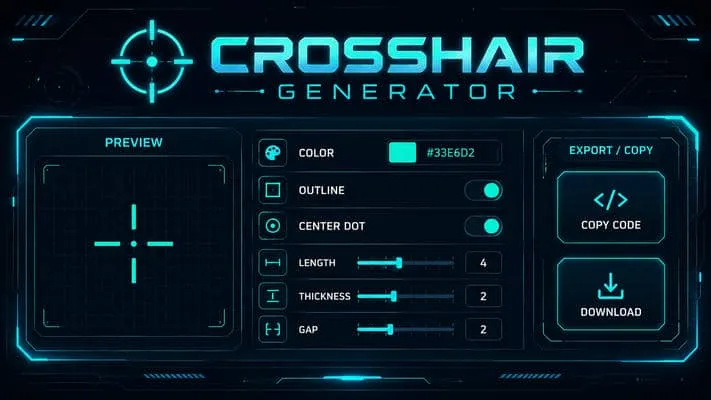
Another newcomer reflex: bringing your reticle over. The generator lets you rebuild it and copy its import code.

Crosshair generator →